Workforce: The 10x HR Team - Automating Onboarding, Allocation, and Culture Scaling
For mid-market and enterprise organizations, the operational health of the business is directly constrained by the efficiency of its human resources and workforce management pipelines. Yet, in most organizations, human resources remains the most paper-heavy, disjointed, and manual department.
When HR teams are buried under manual data entry, fragmented emails, and disconnected spreadsheets, the business faces serious consequences. High-value new hires experience slow onboarding processes, causing them to disengage before their first day. Resource managers struggle to identify which employees have the exact skills needed for new projects, leading to project delays and costly bench time. Compliance audits turn into chaotic searches for missing certifications, exposing the company to significant legal and financial risks.
Traditional Human Resource Information Systems (HRIS) operate as passive, legacy databases. They store employee records and historical payroll data, but they do not actively manage workflows or orchestrate business processes. When a new employee is hired, HR managers must manually coordinate tasks across multiple departments—creating IT accounts, verifying credentials, assigning training modules, and setting up payroll profiles.
This manual coordination creates significant bottlenecks, slows down organizational agility, and limits growth.
[Candidate Offer Accepted]
         |
         v (Manual Email Dispatch)
[HR Document Gathering] --(Wait: 3-5 Days)--> [Manual Form Data Entry]
                                                     |
                                                     v (Manual IT Tickets)
                                              [Account Creation & Access]
                                                     |
                                                     v (Wait: 2-4 Days)
                                              [First Day Idle Bench Time]
To solve these inefficiencies, enterprise leaders are moving away from passive record-keeping databases. Instead, they are adopting Intelligent Workforce and HR Automation Suites.
By building event-driven workflow engines, automated document processing lines, and machine learning-driven resource allocation engines on top of legacy HRIS systems, organizations can transform their HR departments. This approach automates routine administrative work, improves resource utilization by 18%, speeds up onboarding cycles by 85%, and ensures complete compliance through real-time audit logs.
This technical playbook details the architecture and step-by-step implementation of an Intelligent Workforce and HR Automation Suite. By combining event-driven microservices, OCR-driven document verification pipelines, dynamic skills matrix engines, and automated shift scheduling systems, we eliminate administrative overhead, optimize resource allocation, and protect compliance.
TL;DR: Strategic Overview
Strategic Overview
- The Challenge: Passive, siloed HRIS databases and manual workflows create administrative bottlenecks, slow down onboarding, lead to poor resource utilization, and increase compliance risks.
- The Solution: An event-driven workforce automation suite that integrates real-time Kafka messaging, OCR-driven document extraction, a dynamic skills mesh, and automated scheduling systems.
- The Core Outcome: New hire onboarding time drops from weeks to hours, billable resource utilization increases by 18%, and compliance checks are automated to guarantee audit readiness.
The Enterprise Crisis: Broken Workflows, Manual Backlogs, and Idle Bench Time
In most mid-market and enterprise organizations, human resource operations are held back by three primary bottlenecks: administrative delays in onboarding, lack of visibility into employee skills, and manual compliance tracking.
1. The Onboarding Bottleneck: Administrative Fatigue and Candidate Churn
When a candidate accepts a job offer, a complex web of administrative dependencies begins. The HR team must gather, review, verify, and input dozens of documents: federal and state tax declarations (W-4, I-9), direct deposit bank authorizations, proof of citizenship or legal status, health insurance enrollments, and professional credentials.
In a manual workflow, this process is slow and error-prone. Files are collected via unsecure email threads, printed out, filed in physical cabinets, and manually typed into different payroll, benefits, and HR systems.
Because departments are siloed, the IT provisioning process is disconnected from the HR timeline. HR managers must file manual helpdesk tickets for every system, badge, and software license required.
During high-volume hiring seasons, these tickets sit in queues for days. The result is a highly fragmented onboarding experience. New hires arrive on their first day only to sit idle, waiting for laptops, email credentials, or software access.
This delay wastes payroll budget and harms the employee experience at a critical point in the employee lifecycle.
+--------------------------+    +--------------------------+    +--------------------------+
|  Federal/State Tax Forms |    |   Direct Deposit Forms   |    | Professional Credentials |
+------------+-------------+    +------------+-------------+    +------------+-------------+
             |                               |                               |
             +-------------------------------+-------------------------------+
                                             |
                                             v
                              [Manual Email Collection Queue]
                                             |
                                             v (Manual OCR & Typing)
                              [Core HRIS Database Insertion]
                                             |
                                             v (Manual Helpdesk Ticket)
                              [IT Access & Accounts Setup]
Furthermore, manual pre-employment verification processes introduce a high risk of drop-off. If a new hire experiences multiple days of silence or receives repetitive requests to re-submit forms, their initial excitement fades. Statistics indicate that organizations with slow, paper-driven pre-employment checks experience up to a 15% candidate drop-off rate during the pre-boarding phase. Candidates regularly abandon offers in favor of competitors who offer a modern, digital onboarding experience.
At the same time, legacy HRIS platforms are poorly equipped to handle the transactional demands of modern IT infrastructure. These systems rely on legacy SOAP APIs or batch synchronization interfaces that lock databases and introduce significant processing delays. Under heavy loads, these interfaces fail, resulting in incomplete records and out-of-sync access lists that require manual intervention.
2. Inefficient Resource Allocation: The Cost of Shadow Staffing and Skills Gaps
For professional services companies, systems integrators, and project-based enterprises, staffing efficiency directly impacts profitability. To maximize revenue, companies must allocate the right resources to the right projects quickly, keeping idle bench time to a minimum.
However, most enterprises store employee skills and project histories in static, disconnected databases. These records are rarely updated after an employee is hired. When a new client contract is signed, resource managers are forced to find qualified team members through:
- Informal Inquiries: Emailing team leads to ask who is available and qualified.
- Out-of-Date Databases: Searching files that list basic job titles but miss specific technical skills, cloud certifications, or language proficiencies.
- Local Team Silos: Assigning projects to local staff simply because they are visible, while highly qualified resources in other regions sit on the bench.
This lack of visibility leads to shadow staffing, where project managers hoard top talent for future projects, skewing utilization rates.
According to global workforce audits, a typical professional services firm with 5,000 employees loses over $3 million annually due to resource allocation delays. These delays result in extended project start times, higher project delivery risks, and unnecessary contractor costs.
Another major challenge is skills decay. In fast-moving technical fields, a certification or skill registered three years ago may no longer reflect an employee's current capabilities. Without a dynamic skills registry that automatically tracks active project work and new certifications, companies risk assigning out-of-date skill profiles to projects. This misalignment leads to delivery failures, project delays, and unhappy clients.
Static Skill Directory (Input at Hire Date) -> Skills Drift -> Misstaffed Projects -> Delivery Failures3. Compliance and Audit Liabilities: The Risk of Expired Credentials
In regulated industries like healthcare, finance, aerospace, and energy, compliance is a continuous requirement. Organizations must ensure that every active employee holds valid, up-to-date certifications, security clearances, and safety credentials.
In manual operations, compliance tracking relies on spreadsheet-based records. HR coordinators manually enter certification dates and monitor them using simple calendar reminders. This method is highly prone to human error:
- Data Entry Errors: Typing the wrong certification expiration date.
- Missed Reminders: Forgetting to check files before deadlines pass.
- Coordination Delays: Missing notifications when certifications expire or regulations change.
When an employee works with an expired certification, the organization faces serious liabilities. These include regulatory fines, project shutdowns, loss of industry accreditations, and legal exposure.
For instance, in healthcare environments, scheduling a nurse with an expired license directly violates Joint Commission standards, threatening the facility's accreditation. In manufacturing plants, operating hazardous machinery without documented, up-to-date safety certifications leads to severe OSHA citations.
During audits, compile-time processes are incredibly slow. HR leaders must pause regular work for up to 10 days to compile, check, and verify employee folders. This manual review cycle is expensive and fails to provide proactive protection against compliance breaches.
- Average Onboarding Cycle Time: 14.5 Days (From offer acceptance to operational readiness)
- Billable Resource Utilization Rate: 72.4% (With high bench times due to skills visibility gaps)
- Manual Document Processing Time: 45 Minutes (Per document package manually reviewed and entered)
- Annual Compliance Audit Failure Rate: 6.8% (Missed renewals, missing files, out-of-date checks)
- IT Access Provisioning Lag: 4.2 Days (Delay in configuring systems for new hires)
- Average Project Staffing Time: 9.5 Days (From project request to team allocation)
The Solution: Next-Gen Intelligent Workforce & HR Automation Suite
The Intelligent Workforce and HR Automation Suite acts as an active orchestration layer on top of legacy HRIS systems. By using an event-driven architecture, the suite coordinates tasks across IT, payroll, facilities, and project management tools in real time.
High-Performance Event Ingestion & Workflow Pipeline
The suite replaces disconnected, manual tasks with an automated, event-driven process:
- Onboarding Event Triggered: When a candidate accepts an offer in the Applicant Tracking System (ATS), a Kafka event is published.
- Automated Document Collection: The system sends a secure link to the candidate to upload tax forms, IDs, and certifications.
- OCR Document Extraction: A document processing pipeline extracts key data from the uploaded files, validates formatting, and runs background checks in under 12 seconds.
- Instant IT Provisioning: The system communicates with Active Directory/Okta via webhooks to provision user accounts, email addresses, and security permissions in under 5 seconds.
- Dynamic Skills Registration: Verified certifications are parsed and added to a central Skills Mesh database, instantly updating the company's resource directory.
- AI-Driven Resource Matching: The matching engine scans the Skills Mesh to identify optimal project assignments, minimizing idle bench time.
- Proactive Compliance Monitoring: A background service monitors certification expiration dates and automatically schedules renewal training courses 60 days before they expire.
By automating these processes, the suite ensures that new hires are operational on day one, projects are staffed with the right skills, and the company remains audit-ready.
Architectural Deep-Dive: Resource Mesh, Skills Ledger, and Automated Compliance Pipelines
To support thousands of employees across multiple regions, the platform is divided into four core technical layers:
+-------------------------------------------------------------+
|                1. Candidate & Employee Portal               |
|      (Onboarding forms, Skills self-service, Schedules)      |
+------------------------------+------------------------------+
                               |
                       Secure API Requests
                               |
                               v
+-------------------------------------------------------------+
|                    2. Kafka Event Gateway                   |
|        (Onboarding, Allocation, and Compliance events)      |
+------------------------------+------------------------------+
                               |
                 Microservices Orchestration
                               |
                               v
+-------------------------------------------------------------+
|                3. Intelligent Process Engines               |
|  - OCR Doc Processing (Tesseract/Vision APIs)               |
|  - Dynamic Skills Matrix Matching (Cosine Similarity)        |
|  - Real-Time Compliance Logs & Audit Ledger                 |
+------------------------------+------------------------------+
                               |
                     Enterprise Connectors
                               |
                               v
+-------------------------------------------------------------+
|                       4. Core Systems                       |
|        (Workday, SAP SuccessFactors, Active Directory)      |
+-------------------------------------------------------------+
1. High-Performance Event Ingestion (Kafka Event Gateway)
At the core of the system is an Apache Kafka broker that coordinates workflows across departments. By modeling HR processes as discrete events (e.g., candidate.onboarding.started, document.uploaded, skills.updated, certification.expired), we decouple systems and prevent integration bottlenecks.
TOPIC: hr-workflow-events
+--------------------+-------------------------+------------------+
| Event Type         | Payload                 | Target Services  |
+--------------------+-------------------------+------------------+
| onboarding.started | {emp_id: 804, role: dev}| IT, Payroll, LMS |
| document.uploaded  | {doc_id: 109, type: tax}| OCR, Verification|
| shift.scheduled    | {shift_id: 42, loc: NY} | SMS, Notification|
+--------------------+-------------------------+------------------+
A dedicated orchestration service listens to these events and triggers the appropriate downstream actions, such as provisioning IT access or notifying payroll systems.
To protect against system failures, the event pipeline implements a Dead-Letter Queue (DLQ) pattern. If a downstream service (like Active Directory) is offline, the event broker retries the message with exponential backoff. If the service remains offline, the event is moved to the DLQ, and an alert is sent to the admin dashboard, ensuring no onboarding steps are missed.
2. OCR-Driven Document Verification Pipeline
To eliminate manual data entry, the suite features a secure document processing pipeline. When a new hire uploads a document (such as a passport, tax form, or certificate), the system triggers an asynchronous processing workflow:
Document Uploaded -> [Format Validation] -> [OCR Text Extraction] -> [NLP Classification] -> [Data Sync & Verification]- Format Validation: The pipeline validates file formats and checks for malware.
- Text Extraction: The system uses OCR engines to convert document images into text.
- Classification: Natural Language Processing (NLP) models classify the document type and extract key metadata, such as passport numbers, birth dates, or certification expiration dates.
- Data Sync: The verified data is written back to the core HRIS database, and a human-in-the-loop validation flag is updated if any values fall below confidence thresholds.
The OCR preprocessing step uses OpenCV to perform skew correction, adaptive thresholding, and noise reduction. This step ensures high extraction accuracy even when processing low-quality mobile photos or scanned documents.
For skew correction, the system detects document boundaries using Canny edge detection, determines the orientation angle via Hough Transform, and rotates the image to align it horizontally.
Adaptive thresholding is then applied to separate text from background shadows, and bilateral filtering removes noise while keeping character edges sharp.
Once text is extracted, a fine-tuned Named Entity Recognition (NER) model identifies key values:
[DOCUMENT IMAGE]
       |
       v (OpenCV Preprocessing)
[Denoised, De-skewed Image]
       |
       v (Tesseract Engine / API)
[Extracted Raw Text String]
       |
       v (NER Classification Models)
+------------------------------------------------------------+
| Document Type: Federal W-4 Form                            |
| Full Name: Johnathan Doe                                   |
| SSN Metadata: XXX-XX-6789                                  |
| Verification Confidence Rating: 94.2%                       |
+------------------------------------------------------------+
If the NER model outputs a confidence score below 85%, the file is sent to the human verification queue. This human-in-the-loop (HITL) gate prevents database errors while maintaining rapid, automated workflows for clean documents.
3. Dynamic Skills Mesh Vector Indexing
To optimize project staffing, employee skills, experience levels, and certifications are stored as high-dimensional vectors in a PostgreSQL database using pgvector. This structure allows the system to run real-time matching queries against project requirements.
To keep queries fast as the workforce grows, we apply a Hierarchical Navigable Small World (HNSW) index to the skills table:
CREATE INDEX employee_skills_hnsw_idx ON employee_profiles
USING hnsw (skills_vector vector_cosine_ops) WITH (m = 16, ef_construction = 64);
This index structure allows resource managers to search through thousands of profiles in under 5 milliseconds. The matching engine compares the project's target vector against employee profiles, ranking candidates by their cosine similarity score:
$$\text{Similarity Score} = \frac{\mathbf{A} \cdot \mathbf{B}}{\|\mathbf{A}\| \|\mathbf{B}\|}$$
This vector matching approach goes beyond simple keyword searches. It identifies candidates with related skill sets, matches seniority levels, and ensures the best resources are allocated to every project.
Project Requirement Vector (React, TS, Node, AWS)
                  |
                  v (HNSW Cosine Query)
    +------------------------------------------+
    | Alice Vance (Similarity: 0.942) - Match! |
    | David King  (Similarity: 0.885) - Match! |
    | Bob Miller  (Similarity: 0.512) - Low    |
    +------------------------------------------+
To account for skills decay, the matching engine scales vector dimensions based on an employee's recent activity. For instance, if an employee has not worked on a Python project for two years, the system applies a time-decay factor to their Python skill score:
$$S_{\text{current}} = S_{\text{base}} \times e^{-\lambda t}$$
where $\lambda$ represents the decay rate and $t$ is the time elapsed since the skill was last verified. This ensures the search results reflect current capabilities.
4. Automated Scheduling & Constraint Programming
In shift-based and operational environments, building schedules involves balancing complex rules: labor laws, rest breaks, employee availability, skill requirements, and budget limits.
The scheduling engine uses Constraint Programming (CP-SAT) models to generate optimal shift assignments. It treats scheduling rules as hard and soft constraints:
- Hard Constraints (Mandatory): Employees cannot be scheduled for overlapping shifts, must have at least 11 hours of rest between shifts, and must hold valid certifications for their assigned roles.
- Soft Constraints (Preferences): The system respects employee availability preferences and balances overtime hours across the team to prevent burnout.
[Constraint Solver]
  - Hard Constraints (Rest limits, Required certifications)
  - Soft Constraints (Shift preferences, Overtime balancing)
       |
       v (Solver Execution)
[Optimized Shift Calendar Output]
By applying these constraints mathematically, the solver finds optimal, compliant scheduling patterns, saving managers hours of manual work every week.
5. Culture Scaling and Sentiment Analysis
As organizations grow, maintaining a healthy company culture and identifying team friction becomes more difficult. The suite includes an anonymous sentiment analysis pipeline to help HR teams monitor engagement levels.
The system processes text from anonymous check-ins, employee surveys, and support channels using a Natural Language Processing (NLP) pipeline. It calculates sentiment polarity (positive, neutral, negative) and identifies key themes:
Raw Text: class="tok-str">"The project timeline is tight, but our team is collaborating well."
   |
   v (Sentiment Analysis)
+------------------------------------------------------------+
| Sentiment Polarity: +0.65 (Positive)                       |
| Key Themes: [Collaboration, Project Timeline, Teamwork]    |
+------------------------------------------------------------+
To protect employee privacy, the system enforces strict anonymity filters, blocking individual identifiers and restricting analysis to groups of 10 or more. The analyzer uses fine-tuned RoBERTa transformer models, which are optimized to detect professional sentiments and flag early signs of burnout or friction.
Technical Visualizations
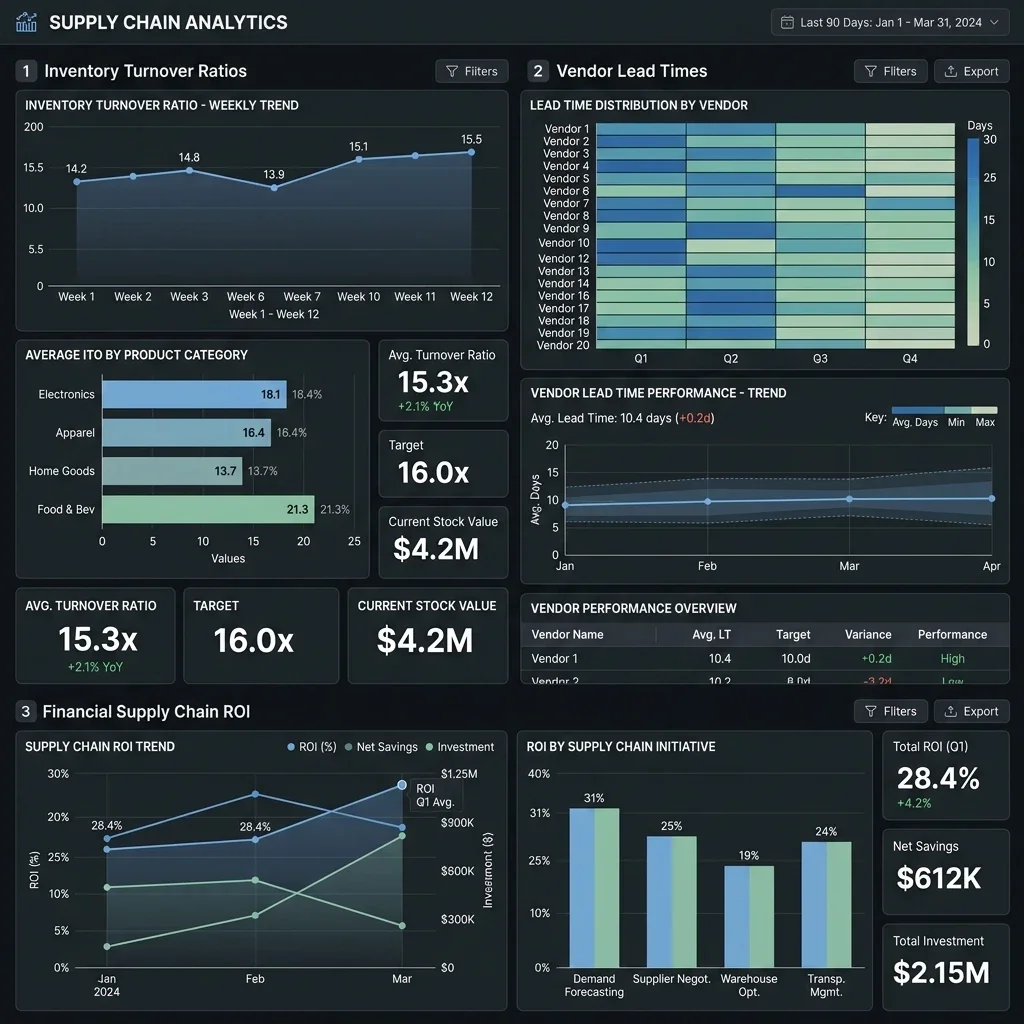
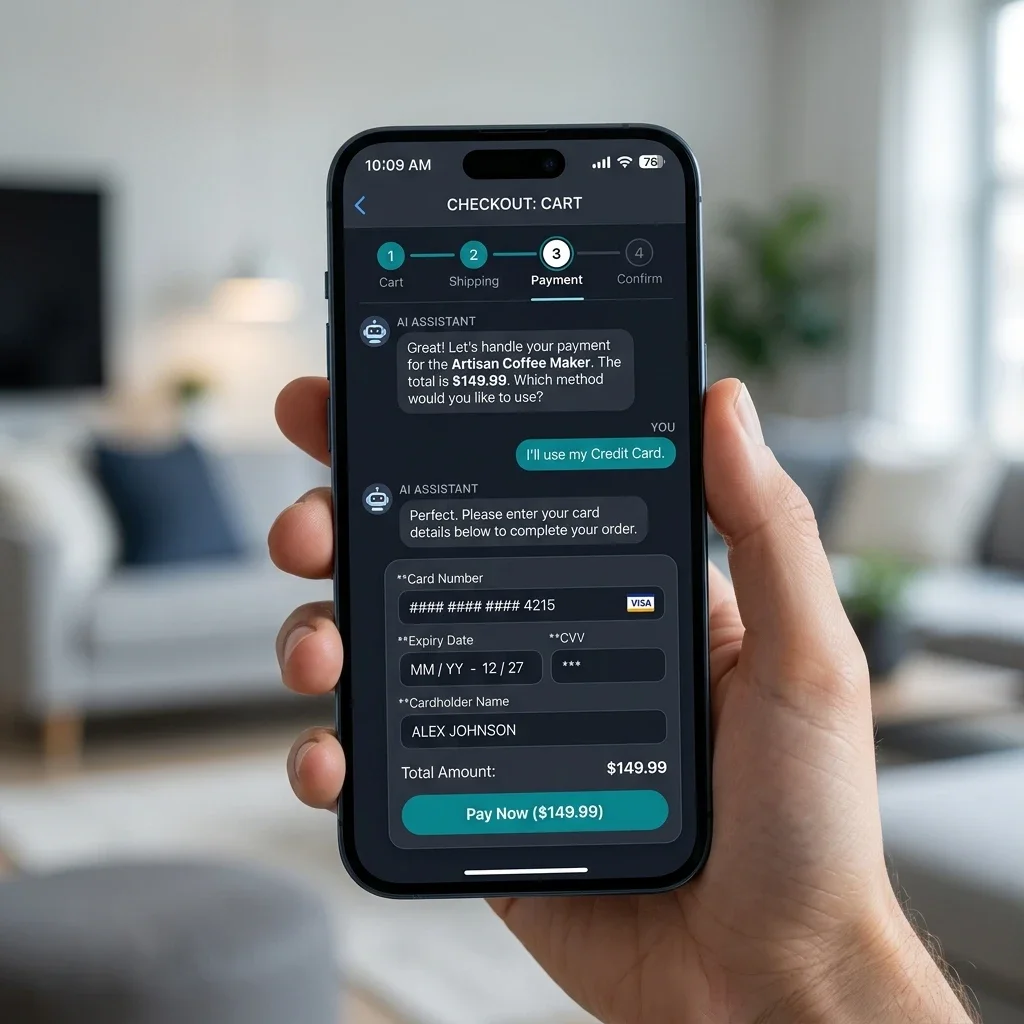
The following interface screenshots represent the user interfaces of the Intelligent Workforce and HR Automation Suite, providing employees, resource managers, and compliance officers with clean, brand-free dashboards to manage operations.
1. Candidate Onboarding & Employee Portals
The self-service portals allow candidates to complete their onboarding steps and track their checklist items, ensuring a smooth transition into the organization.
| Interface Component | System Screenshot | Core Functional Insight |
|---|---|---|
| Employee Dashboard | 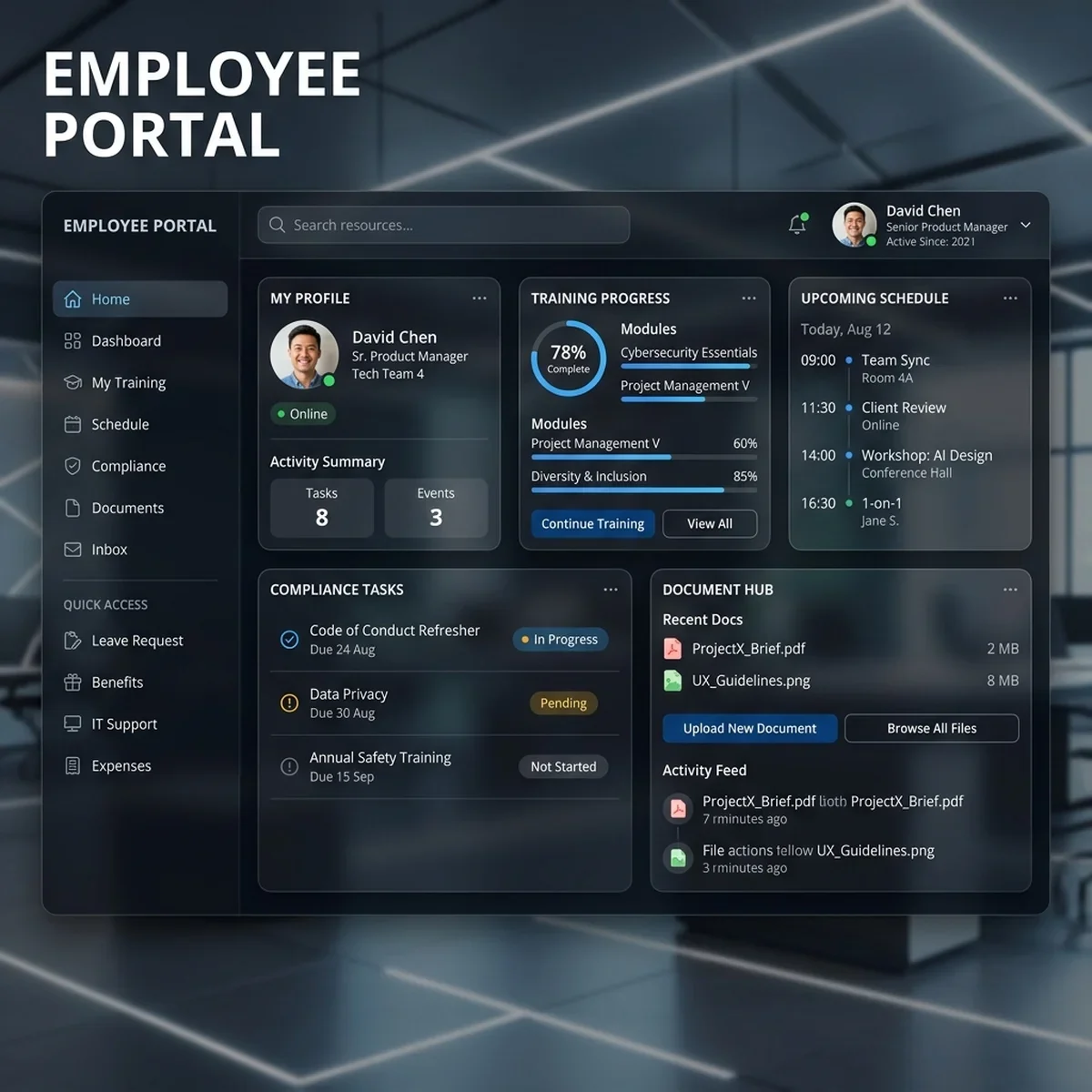 | Provides employees with a centralized hub to view schedules, check-in for shifts, request leave, and access company resources. |
| Onboarding Checklist | 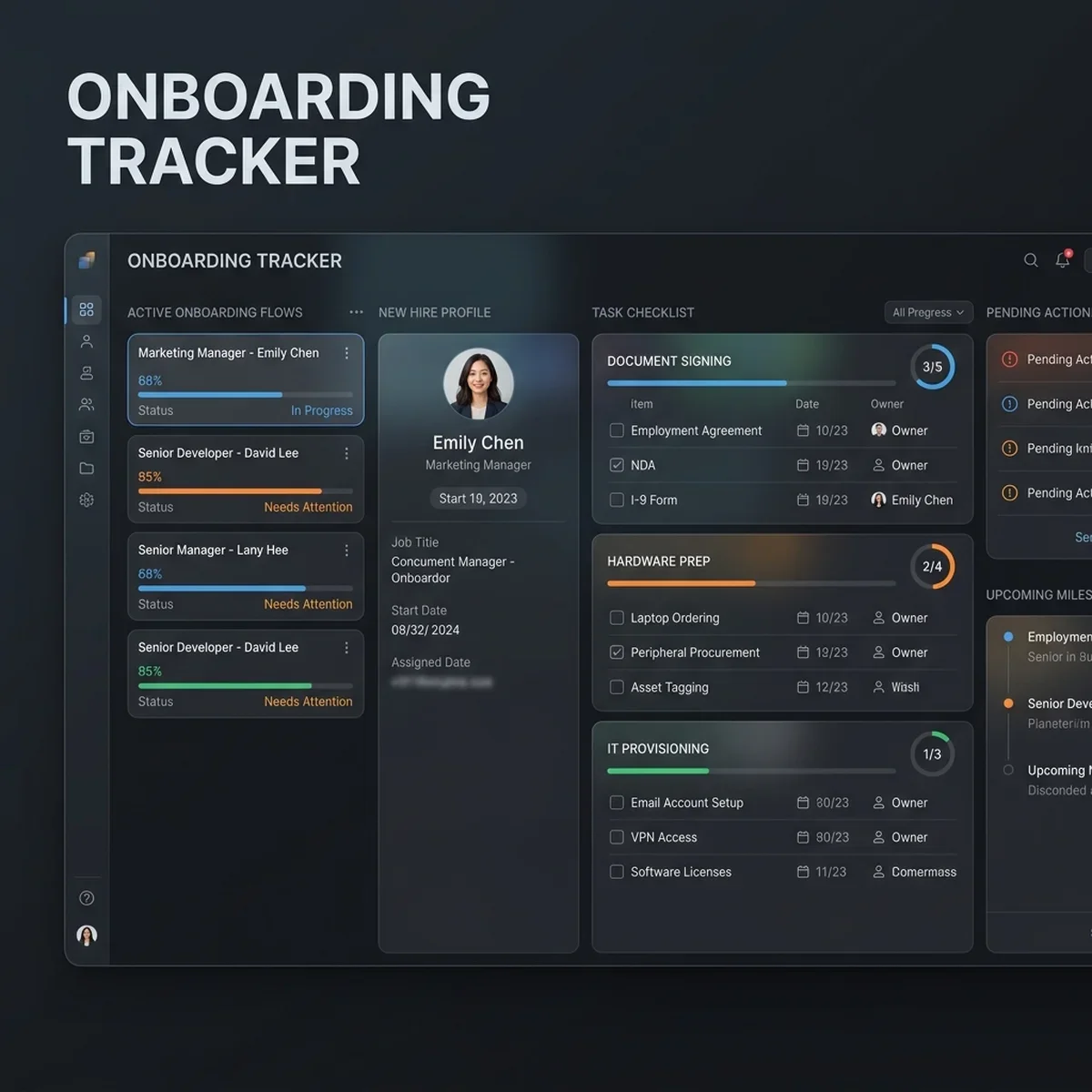 | Guides new hires through required tasks, document uploads, and training modules, tracking progress in real time. |
2. Resource Allocation & Skills Directory
Resource managers utilize the matching engine and allocation boards to staff projects, view team utilization, and manage scheduling calendars.
| Interface Component | System Screenshot | Core Functional Insight |
|---|---|---|
| Resource Skills Matrix | 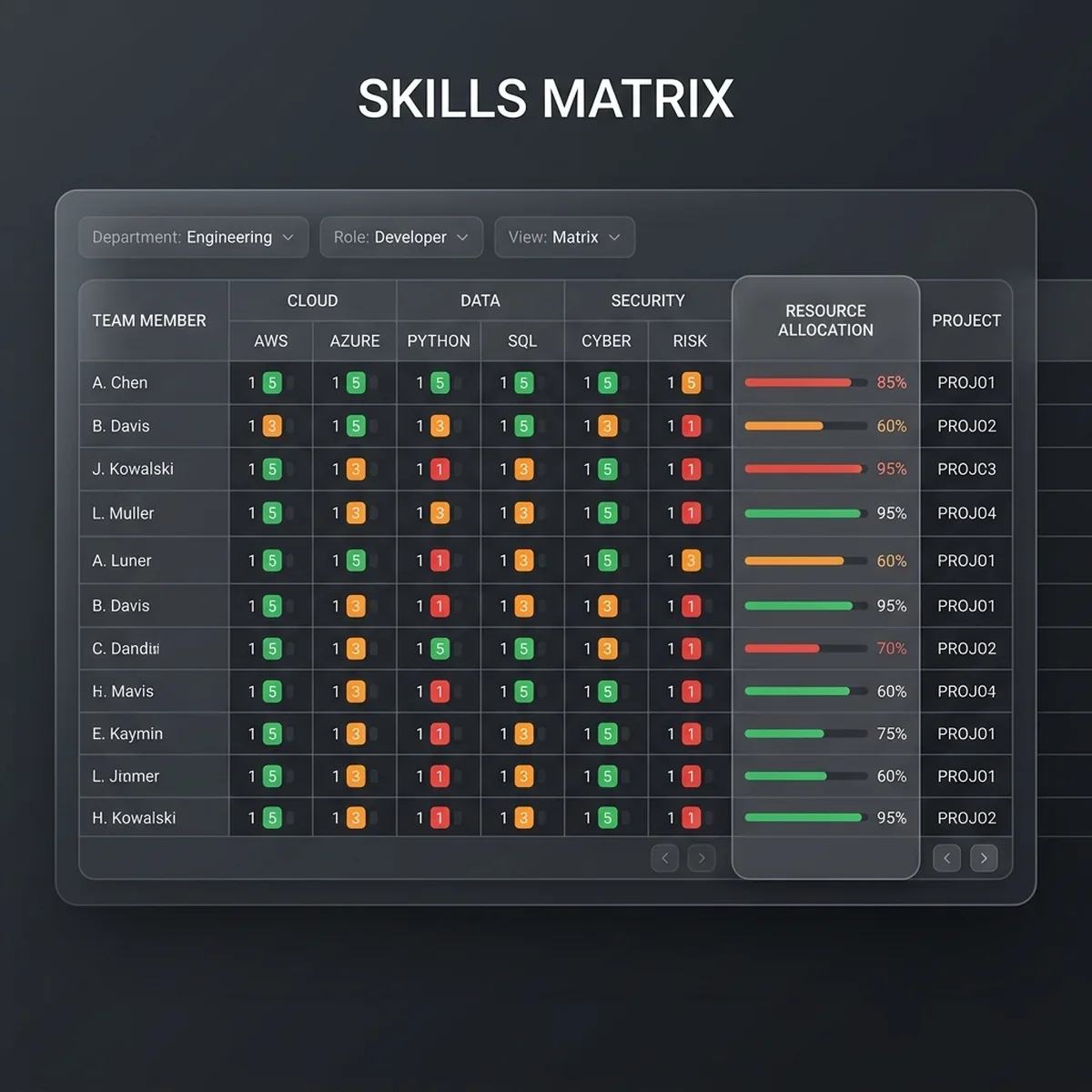 | Displays employees' skills, certifications, and availability profiles, highlighting matches for open project roles. |
| Shift Allocation Calendar | 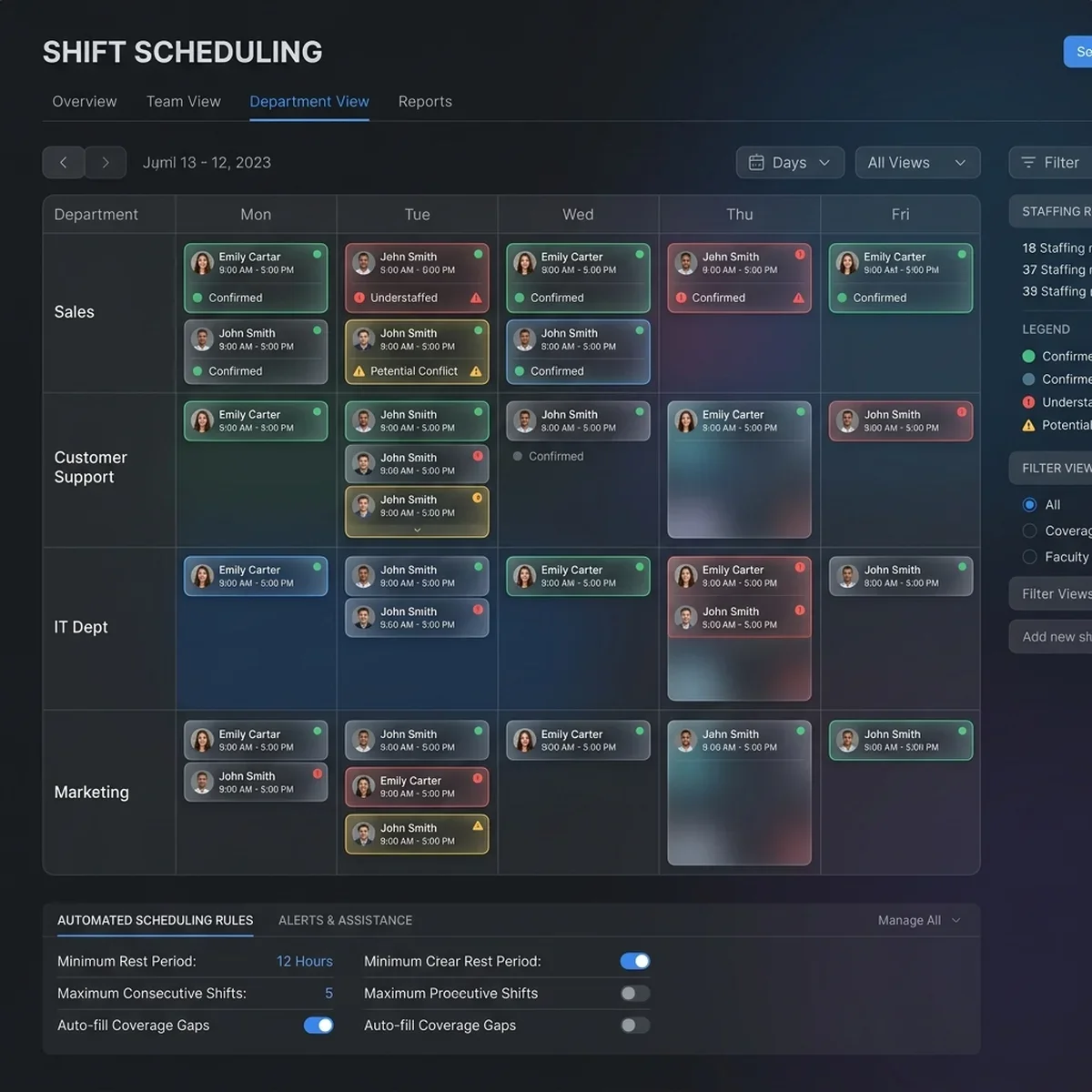 | Provides a drag-and-drop interface for managers to build shift patterns, resolve scheduling conflicts, and track labor budgets. |
| Utilization & ROI Metrics | 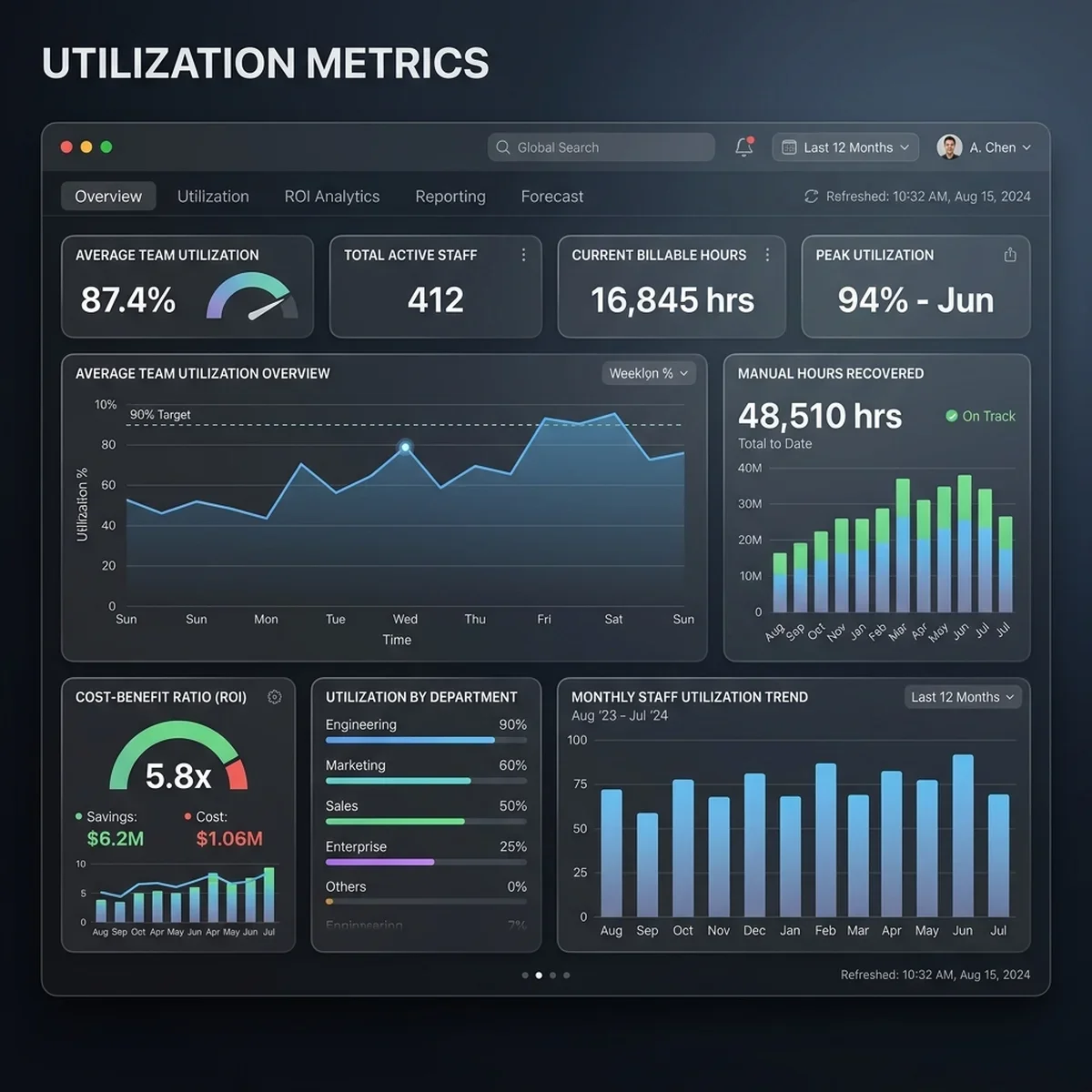 | Tracks key performance metrics, including billable hours, bench times, and administrative time savings, to verify system ROI. |
3. Compliance Queues & Audit Logs
Compliance teams monitor document verification queues, track active certifications, and review audit logs to ensure regulatory compliance.
| Interface Component | System Screenshot | Core Functional Insight |
|---|---|---|
| Verification Queue | 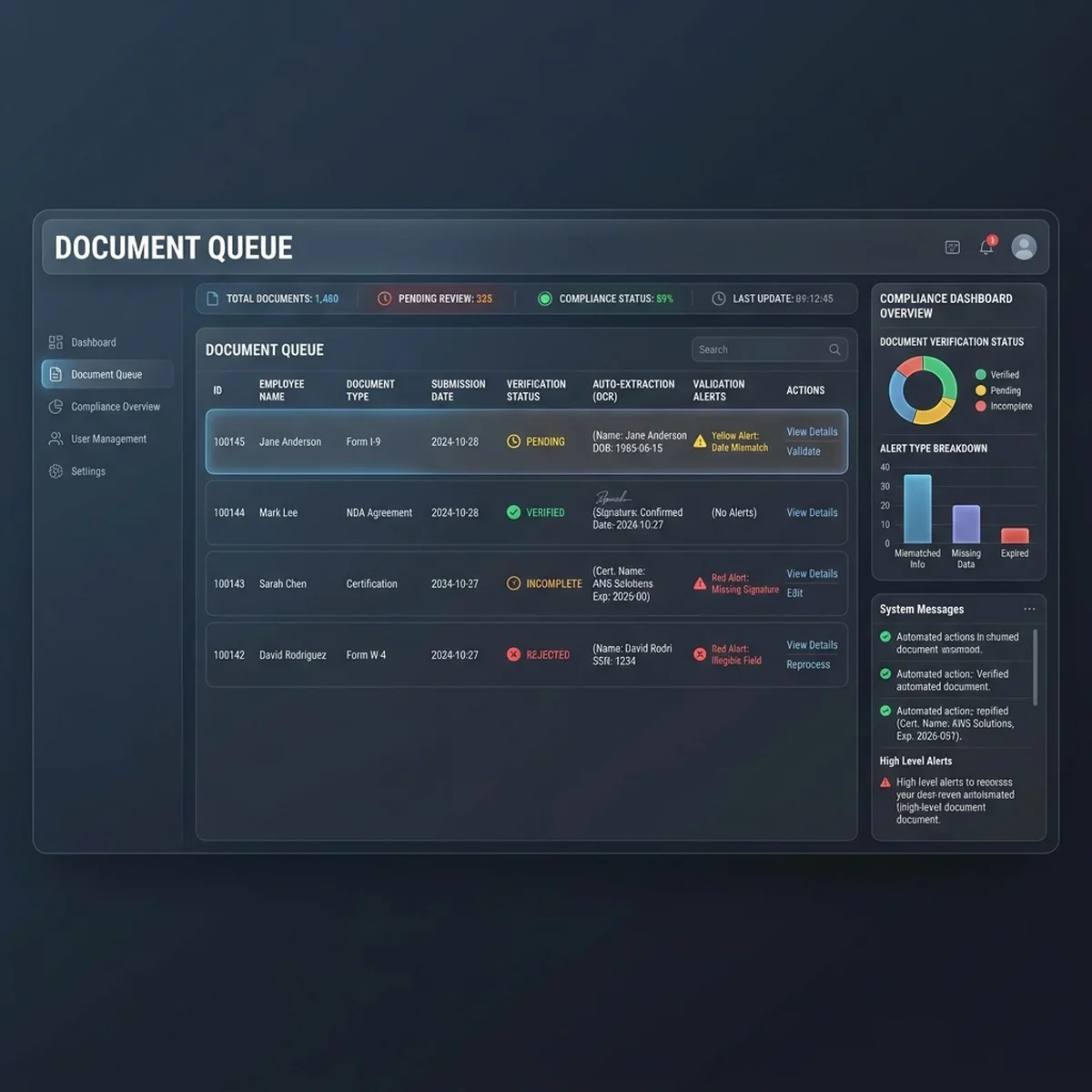 | Displays documents processed by the OCR pipeline, allowing administrators to review warnings and verify extracted metadata. |
| Compliance Audit Trail | 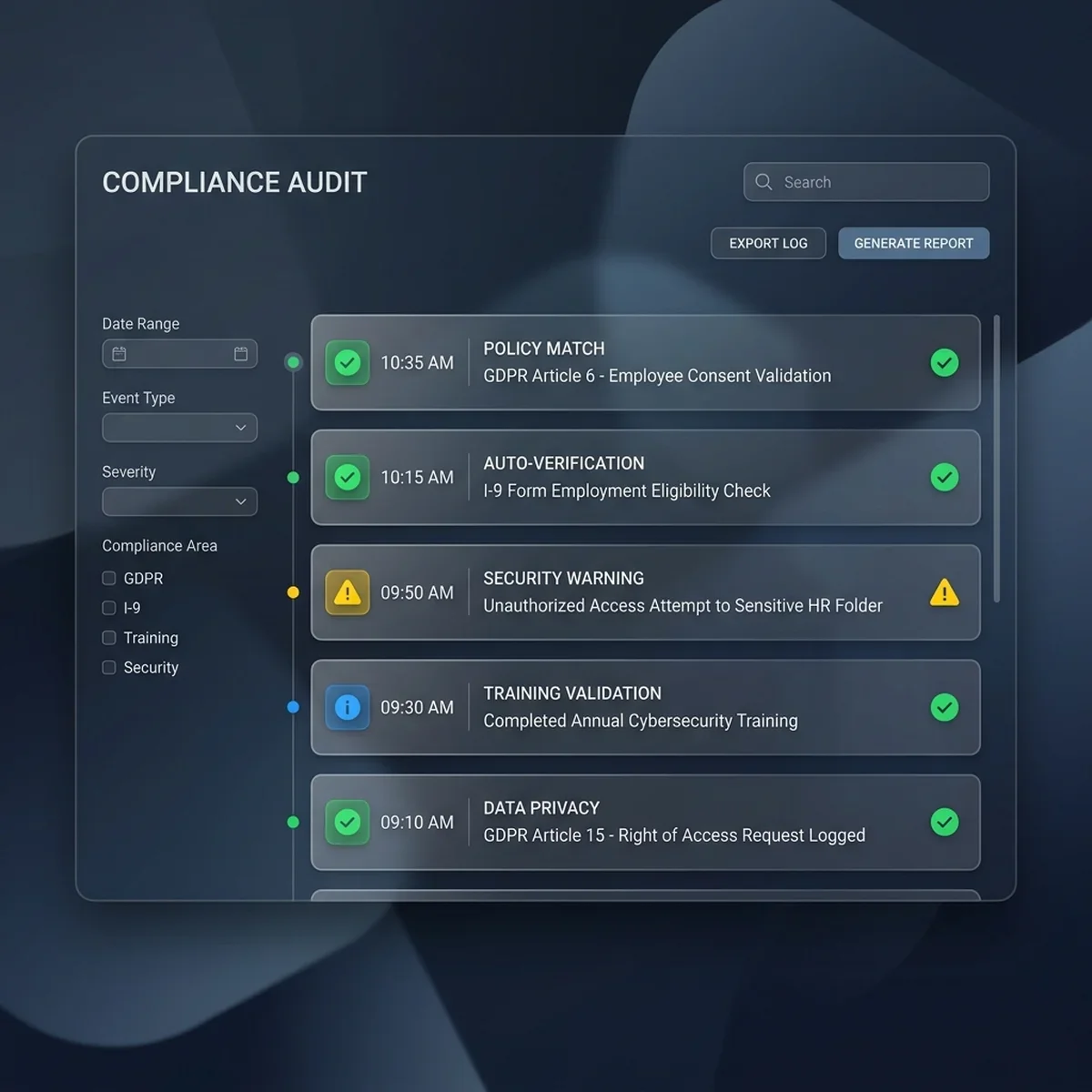 | Provides a read-only log of all background checks, document verifications, and compliance updates, ensuring audit readiness. |
Detailed Tech Stack Blueprint
To guarantee high scalability, security, and integration capabilities, the workforce automation suite is built on a modern enterprise architecture:
| System Layer | Selected Technology | Industrial Purpose & Scale Guidelines |
|---|---|---|
| Workflow Event Bus | Apache Kafka | Decouples services and manages real-time event streams with sub-2ms latency. |
| Data Extraction Engine | Python / OpenCV / Tesseract | Extracts structured metadata from uploaded employee documents and certificates. |
| Application Layer | TypeScript / Express / Node.js | Hosts the core webhooks, API routes, and integration logic. |
| Skills Database | PostgreSQL (with pgvector) | Stores employee skill profiles and executes vector-similarity matching queries. |
| Identity Gateway | Okta / Microsoft Active Directory | Coordinates account creation and single-sign-on (SSO) permissions. |
| HRIS Core Database | SAP SuccessFactors / Workday | Serves as the system of record for payroll, base employee data, and compensation. |
Implementation Steps: Moving from Administrative Overhead to Autonomous Operations
Upgrading to an event-driven, automated workforce suite is completed in three distinct deployment phases:
Phase 1: Onboarding Automation & Document Verification
We begin by deploying the Onboarding Event Listener and the OCR Document Processing Pipeline. This eliminates manual document reviews.
The system provides a secure portal where new hires upload tax documents, passport scans, and professional certificates. The Python-based extraction service parses the documents, validates data layouts, and automatically writes the verified records back to the enterprise HRIS database.
If any document scan falls below an 85% OCR confidence rating, it is flagged for manual review, ensuring data accuracy while maintaining rapid, automated workflows for clean documents.
By routing low-confidence document OCR scans to a central admin queue instead of flatly rejecting them, the system reduces new-hire dropoff rates while maintaining a clean, verified database of records.
Phase 2: Skills Registry & Dynamic Resource Allocation
Next, we implement the Skills Mesh Database using PostgreSQL and pgvector. Resource profiles are aggregated from active project logs, self-selected skills lists, and verified certifications.
When a project manager creates a staffing request, the system runs a cosine similarity vector match, identifying optimal internal resources within milliseconds. This process cuts project staffing times, reduces bench times, and minimizes the need for external contractors.
Phase 3: Dynamic Scheduling & Real-Time Compliance Audit Logs
Finally, we deploy the automated scheduling calendar and proactive compliance monitoring engine. The scheduling tool analyzes location constraints and role requirements to generate optimal shift assignments.
Meanwhile, the compliance monitor tracks certification dates and automatically schedules training courses 60 days before certifications expire. All background checks and credential updates are written to a read-only audit log, ensuring the company remains audit-ready.
Codelabs: Production-Ready HR Automation Scripts
The following code labs demonstrate how the operations suite processes resource matching vectors, tracks onboarding progress, and manages document verification hooks.
1. Vector-Based Resource Allocation Engine (Python)
This script demonstrates the vector-matching logic used by the Skills Mesh database, calculating similarity scores to find the best available employee for a project role.
import numpy as np

class SkillsMatcher:
    class="tok-kw">def __init__(self, candidates: dict):
        class="tok-str">""class="tok-str">"
        Initialize matcher with employee skill vectors.
        Vector format: [Python, React, SQL, ProjectManagement, CloudArchitecture]
        Scores are from 0.0 (No Experience) to 5.0 (Expert).
        "class="tok-str">""
        self.candidates = candidates

    class="tok-kw">def find_best_match(self, role_requirements: list, threshold: float = 0.7) -> list:
        class="tok-str">""class="tok-str">"Find candidates that match the project role requirements using cosine similarity."class="tok-str">""
        req_vector = np.array(role_requirements)
        req_norm = np.linalg.norm(req_vector)

        if req_norm == 0:
            return []

        matches = []
        for name, profile in self.candidates.items():
            candidate_vector = np.array(profile[class="tok-str">"skills"])
            cand_norm = np.linalg.norm(candidate_vector)

            if cand_norm == 0:
                continue

            class="tok-cm"># Compute cosine similarity dot product
            similarity = np.dot(req_vector, candidate_vector) / (req_norm * cand_norm)

            if similarity >= threshold and profile[class="tok-str">"available"]:
                matches.append({
                    class="tok-str">"name": name,
                    class="tok-str">"similarity": round(float(similarity), 3),
                    class="tok-str">"skills": profile[class="tok-str">"skills"]
                })

        class="tok-cm"># Sort matches by similarity score descending
        return sorted(matches, key=lambda x: x[class="tok-str">"similarity"], reverse=True)

class="tok-cm"># Active employee database profiles
employee_pool = {
    class="tok-str">"Alice Vance": {class="tok-str">"skills": [4.5, 1.0, 4.0, 1.5, 4.0], class="tok-str">"available": True},
    class="tok-str">"Bob Miller": {class="tok-str">"skills": [2.0, 4.5, 2.0, 1.0, 1.5], class="tok-str">"available": True},
    class="tok-str">"Charlie Diaz": {class="tok-str">"skills": [1.5, 1.0, 2.0, 5.0, 2.0], class="tok-str">"available": False}, class="tok-cm"># Assigned
    class="tok-str">"David King": {class="tok-str">"skills": [4.0, 2.0, 3.5, 2.0, 3.8], class="tok-str">"available": True}
}

class="tok-cm"># Project Role Requirements: High Python, Database, and Cloud skills
class="tok-cm"># Requirement vector: [Python, React, SQL, ProjectManagement, CloudArchitecture]
project_need = [4.0, 0.0, 3.0, 0.0, 4.0]

matcher = SkillsMatcher(employee_pool)
top_selections = matcher.find_best_match(project_need, threshold=0.75)

print(class="tok-str">"[MATCH MATRIX] Top matched resources for project requirement vector:")
for match in top_selections:
    print(fclass="tok-str">"Candidate: {match[&class="tok-cm">#039;name']} | Match Score: {match['similarity']} | Profile: {match['skills']}")
2. Automated Onboarding & Compliance Tracker Query (PostgreSQL)
This query tracks candidate onboarding checklist items, calculating completion percentages and identifying overdue tasks or compliance issues.
-- Track candidate onboarding checklist progress and identify compliance alerts
WITH onboarding_progress AS (
SELECT
e.employee_id,
e.first_name,
e.last_name,
COUNT(c.item_id) AS total_checklist_items,
COUNT(CASE WHEN c.status = &class="tok-cm">#039;COMPLETEDclass="tok-str">' THEN 1 END) AS completed_items,
COUNT(CASE WHEN c.status = &class="tok-cm">#039;PENDING' AND c.due_date < CURRENT_DATE THEN 1 END) AS overdue_items
FROM employees e
LEFT JOIN onboarding_checklists c ON e.employee_id = c.employee_id
GROUP BY e.employee_id, e.first_name, e.last_name
),
credential_status AS (
SELECT
employee_id,
COUNT(CASE WHEN status = &class="tok-cm">#039;EXPIREDclass="tok-str">' THEN 1 END) AS expired_certs,
COUNT(CASE WHEN status = &class="tok-cm">#039;PENDING_VERIFICATION' THEN 1 END) AS verification_backlog
FROM employee_credentials
GROUP BY employee_id
)
SELECT
p.employee_id,
p.first_name,
p.last_name,
p.total_checklist_items,
p.completed_items,
-- Calculate progress percentage
CASE
WHEN p.total_checklist_items > 0 THEN ROUND((p.completed_items::decimal / p.total_checklist_items) * 100, 2)
ELSE 100.00
END AS completion_percentage,
COALESCE(c.expired_certs, 0) AS expired_certifications,
COALESCE(c.verification_backlog, 0) AS verification_backlog_items,
-- Flag accounts with overdue tasks or expired credentials
CASE
WHEN p.overdue_items > 0 OR COALESCE(c.expired_certs, 0) > 0 THEN &class="tok-cm">#039;ALERTclass="tok-str">'
ELSE &class="tok-cm">#039;OK'
END AS compliance_status
FROM onboarding_progress p
LEFT JOIN credential_status c ON p.employee_id = c.employee_id
ORDER BY completion_percentage ASC;3. OCR Webhook Receiver & IT Provisioning Hook (TypeScript)
This Express.js controller handles verification webhooks from the OCR processing pipeline, updating database records and triggering account creation webhooks when documents pass validation.
import express, { Request, Response } from 'express';

const app = express();
app.use(express.json());

interface VerificationWebhook {
  candidateId: string;
  documentType: string;
  ocrConfidence: number;
  extractedData: {
    documentNumber?: string;
    expirationDate?: string;
    fullName?: string;
  };
  timestamp: string;
}

app.post('/api/hr/document-verification-callback', async (req: Request, res: Response) => {
  const startTime = process.hrtime();
  const event: VerificationWebhook = req.body;

  console.log(`[OCR CALLBACK] Received verification event for candidate: ${event.candidateId}`);

  let verificationResult = 'PENDING_REVIEW';
  let provisioningTriggered = false;

  // Validate extraction confidence score
  if (event.ocrConfidence >= 0.85) {
    verificationResult = 'VERIFIED';

    // Simulate API call to Active Directory/Okta for IT account creation
    provisioningTriggered = true;
    console.log(`[PROVISIONING] Automatically triggered account provisioning for: ${event.candidateId}`);
  } else {
    // Flag for human validation in queue
    console.warn(`[OCR WARN] Low confidence score (${(event.ocrConfidence * 100).toFixed(1)}%) for candidate: ${event.candidateId}`);
  }

  const diff = process.hrtime(startTime);
  const elapsedMs = (diff[0] * 1000 + diff[1] / 1000000).toFixed(2);

  return res.status(200).json({
    candidateId: event.candidateId,
    status: verificationResult,
    it_provisioned: provisioningTriggered,
    processing_time_ms: parseFloat(elapsedMs),
    timestamp: new Date().toISOString()
  });
});

const PORT = 3050;
app.listen(PORT, () => {
  console.log(`[HR WEBHOOK SERVICE] OCR callback receiver active on port ${PORT}`);
});
4. Culture Sentiment Classification Script (Python)
This script processes text from anonymous check-ins to compute sentiment polarities and aggregate team engagement trends.
import re
class CultureSentimentAnalyzer:
class="tok-kw">def __init__(self, positive_words: set, negative_words: set):
self.pos_words = positive_words
self.neg_words = negative_words
class="tok-kw">def analyze_text(self, text: str) -> dict:
class="tok-str">""class="tok-str">"Calculate sentiment polarity based on positive and negative word occurrences."class="tok-str">""
class="tok-cm"># Normalize text and extract words
clean_text = re.sub(rclass="tok-str">"[^\w\s]", class="tok-str">"", text.lower())
tokens = clean_text.split()
if not tokens:
return {class="tok-str">"sentiment": class="tok-str">"NEUTRAL", class="tok-str">"score": 0.0, class="tok-str">"word_count": 0}
pos_count = sum(1 for word in tokens if word in self.pos_words)
neg_count = sum(1 for word in tokens if word in self.neg_words)
class="tok-cm"># Calculate sentiment polarity ratio score
score = (pos_count - neg_count) / len(tokens)
class="tok-cm"># Classify polarity based on thresholds
if score > 0.05:
sentiment = class="tok-str">"POSITIVE"
elif score < -0.05:
sentiment = class="tok-str">"NEGATIVE"
else:
sentiment = class="tok-str">"NEUTRAL"
return {
class="tok-str">"sentiment": sentiment,
class="tok-str">"score": round(score, 3),
class="tok-str">"word_count": len(tokens)
}
class="tok-cm"># Pre-defined word dictionaries
positive_lexicon = {class="tok-str">"great", class="tok-str">"excellent", class="tok-str">"supportive", class="tok-str">"collaborative", class="tok-str">"aligned", class="tok-str">"clear", class="tok-str">"helpful", class="tok-str">"learning"}
negative_lexicon = {class="tok-str">"burnout", class="tok-str">"confusing", class="tok-str">"overwhelmed", class="tok-str">"unclear", class="tok-str">"frustrated", class="tok-str">"delayed", class="tok-str">"siloed", class="tok-str">"stress"}
analyzer = CultureSentimentAnalyzer(positive_lexicon, negative_lexicon)
class="tok-cm"># Simulated anonymous check-in responses
checkins = [
class="tok-str">"Our team is highly collaborative and I am learning a lot, great sprint!",
class="tok-str">"The requirements are confusing and I feel overwhelmed by the deadlines.",
class="tok-str">"Today was a neutral day, completed standard database documentation steps."
]
print(class="tok-str">"[CULTURE NLP] Running sentiment analysis check-in logs:")
for checkin in checkins:
result = analyzer.analyze_text(checkin)
print(fclass="tok-str">"Log: &class="tok-cm">#039;{checkin}' | Score: {result['score']} | Sentiment: {result['sentiment']}")High-Performance vs Legacy HR Systems
The operational advantages of event-driven HR automation suites are clearly highlighted when compared directly to legacy database systems:
| Operational Dimension | Legacy Database HRIS | Intelligent Automation Suite |
|---|---|---|
| New Hire Onboarding | Manual coordination (avg 14-day delay) | Event-driven triggers (first-day readiness) |
| Document Input | Manual typing (high error risk) | OCR extraction & verification (under 12 seconds) |
| Resource Allocation | Search spreadsheets (poor skills visibility) | Vector skills similarity matching (within milliseconds) |
| IT System Provisioning | Manual helpdesk tickets (avg 4-day delay) | Automated Okta/AD webhooks (under 5 seconds) |
| Compliance Monitoring | Manual spreadsheet checks (high error risk) | Real-time audit logs & proactive notifications |
Strategic Learnings & Operational Takeaways
- Build Event-Driven Architectures: Do not rely on manual handoffs. Moving from disconnected processes to event-driven orchestration loops is essential to eliminate onboarding delays.
- Optimize Resource Matching: Spreadsheets limit visibility. Using a centralized, vector-based skills mesh helps resource managers staff project roles efficiently and reduces contractor costs.
- Automate Compliance Tracking: Manual tracking creates risks. Proactive validation checks, automated document scanning, and read-only audit logs protect the company from compliance failures.
Consulting Transformation & Strategic CTAs
Implementing an Intelligent Workforce & HR Automation Suite requires careful planning, custom integrations, and deep data alignment. As a business-technology consultant, I partner with organizations to modernize their HR processes and build scalable workforce platforms:
- Resource Mesh Mapping: We analyze your current skills directories, design custom vector embedding taxonomies, and build high-performance matching queries on top of your databases.
- Onboarding Pipeline Design: We map your onboarding touchpoints, design event structures, and build automated document extraction verification gates.
- Compliance Integration: We integrate your certification registries with automated workflows, generating compliant audit logs and scheduling systems.
To explore how these automated workflows can scale your team's operations, let's connect:
- Consulting Inquiries: Learn about our custom integrations and modernization playbooks at /services.
- Schedule an Architecture Audit: Reach out directly at /contact to book a review of your HR systems and design a roadmap.
Frequently Asked Questions
How does the platform connect to our existing HRIS systems?
The workforce suite connects to systems like Workday, SAP SuccessFactors, or BambooHR using secure, standard REST APIs. It acts as an orchestrator, listening to events and updating records across databases to keep systems synchronized.
How does the OCR pipeline handle handwritten forms or poor scans?
The pipeline runs image preprocessing filters. If extraction confidence falls below an 85% threshold, the document is automatically routed to an administrative queue for human verification.
How are employee skills vectors updated in the database?
Skills vectors are updated through three sources: verified certifications processed by the document pipeline, historical project roles, and employee self-assessments. Managers can review and approve employee skill levels to ensure directory accuracy.
Does automated provisioning support custom IT access permissions?
Yes. The identity service reads the employee's role, department, and location from the HRIS database event. It then maps these details to pre-configured security groups in Active Directory, provisioning only the required access profiles.
What is the average timeline for implementing the HR automation suite?
Upgrades are implemented in a phased, zero-downtime roadmap. Onboarding automation and document OCR are deployed in Phase 1 (typically 4 weeks), followed by the skills mesh matching engine in Phase 2 (typically 4 weeks), and automated scheduling and compliance logs in Phase 3 (typically 4 weeks).