STRATEGIC OVERVIEW
Terminal Agents vs. IDE Assistants: Comparing Claude Code, Cursor, and Google Antigravity in Production By Vatsal Shah | July 10, 2026 | 22 min read Table of Contents - The Paradigm Split: CLI Autonomy vs. GUI Co-Pilots - Control Loop Architectures: CLI vs.
Terminal Agents vs. IDE Assistants: Comparing Claude Code, Cursor, and Google Antigravity in Production
By Vatsal Shah | July 10, 2026 | 22 min read
Table of Contents
- GUI Editor Workspace Integrations
- Execution Latency vs. Reasoning Depth
- Autonomous Error Self-Healing
- Comparative Matrix: Capabilities & Features
- 2027–2030 Evolutionary Transition Roadmap
- Monday Morning Action Plan
- Key Takeaways
- FAQ
The Paradigm Split: CLI Autonomy vs. GUI Co-Pilots {#paradigm-split}
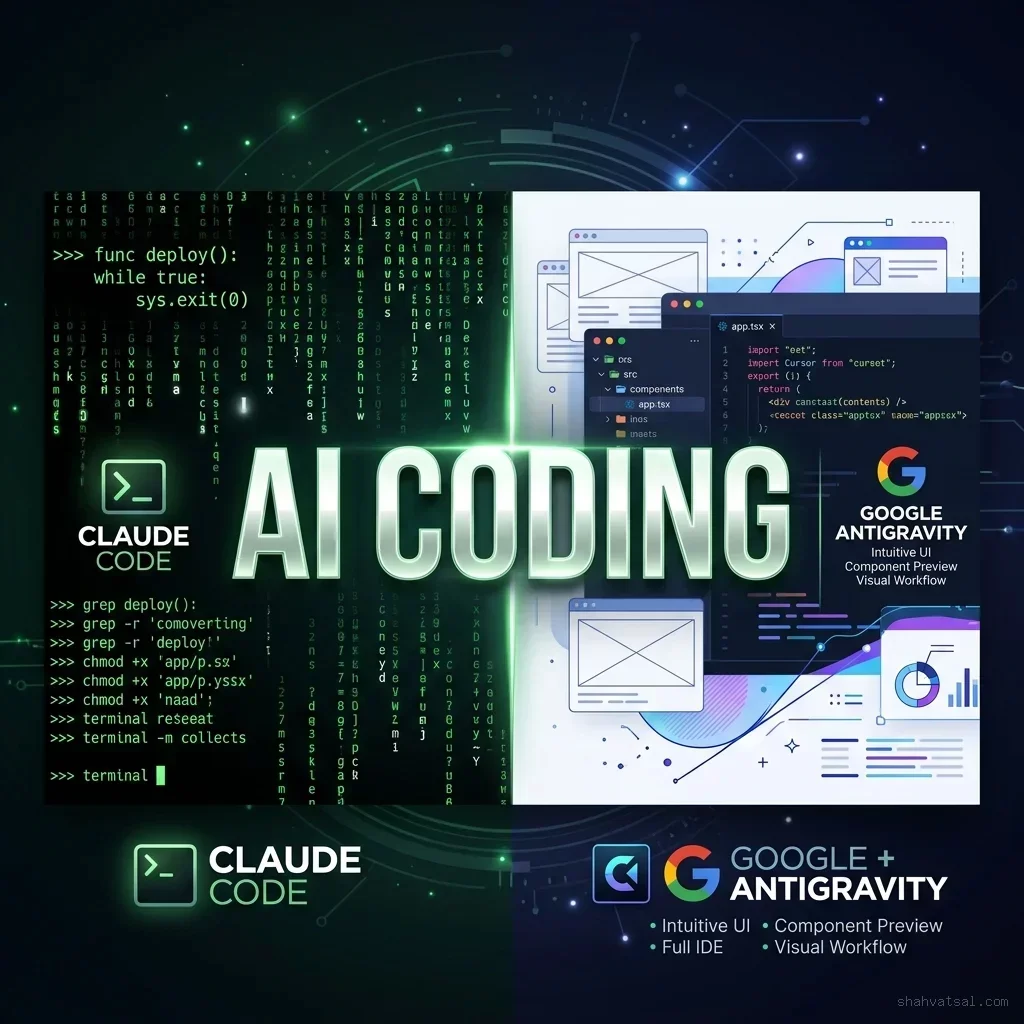
A fundamental architectural divergence has emerged in AI-powered software development. On one side are GUI-based IDE Assistants (like Cursor and Google Antigravity) that integrate directly within your editor window, providing visual suggestions, autocomplete diffs, and multi-file code editing. On the other side are Terminal-Based Coding Agents (such as Anthropic Claude Code) that live inside your CLI, executing shell commands, running tests, refactoring directories, and managing Git changes autonomously.
Which pattern is best suited for your team's production workflows? The answer isn't a simple "which is better" comparison — it depends on where you want the agent's control boundaries to sit. In this guide, I will outline the underlying architectures, execution loop patterns, latency profiles, and cost metrics of these two approaches.
Control Loop Architectures: CLI vs. GUI {#control-loop-architectures}
Terminal Agent Shell Loops {#cli-loops}
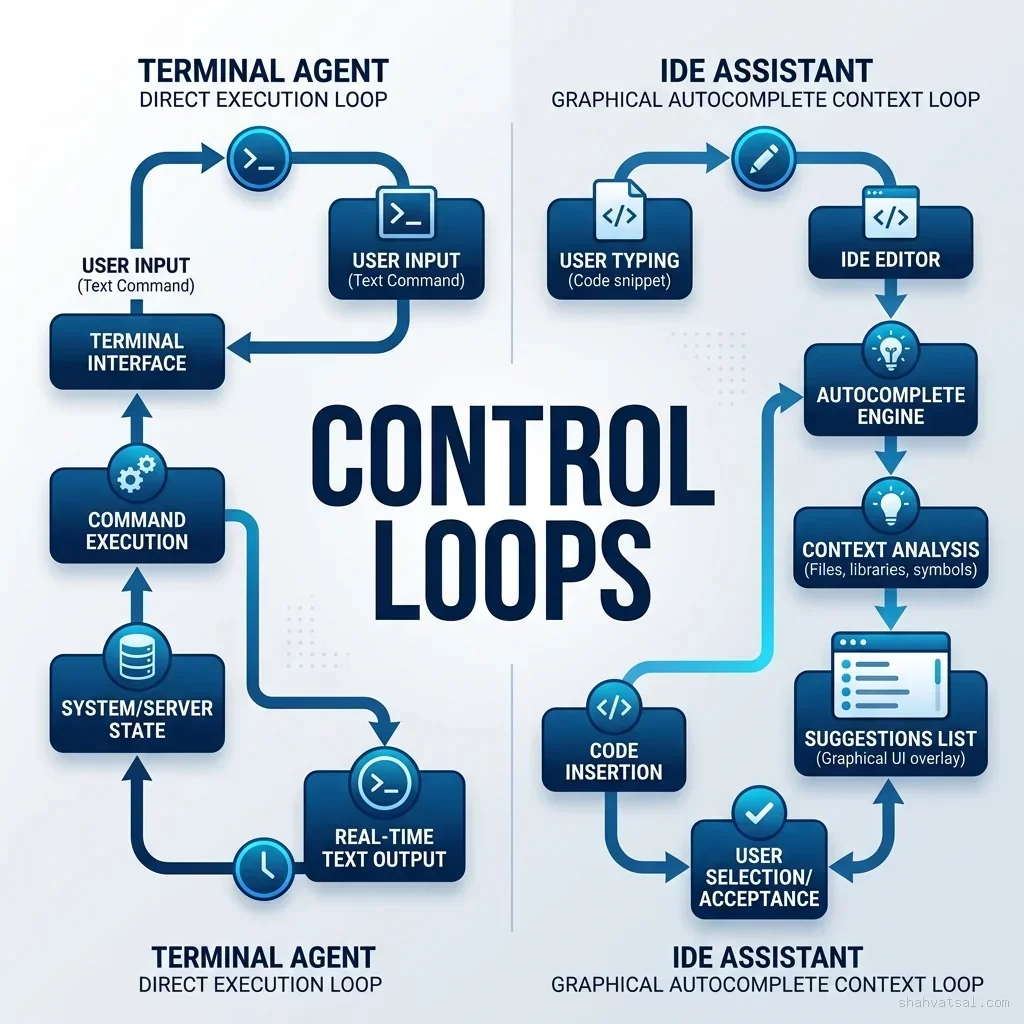
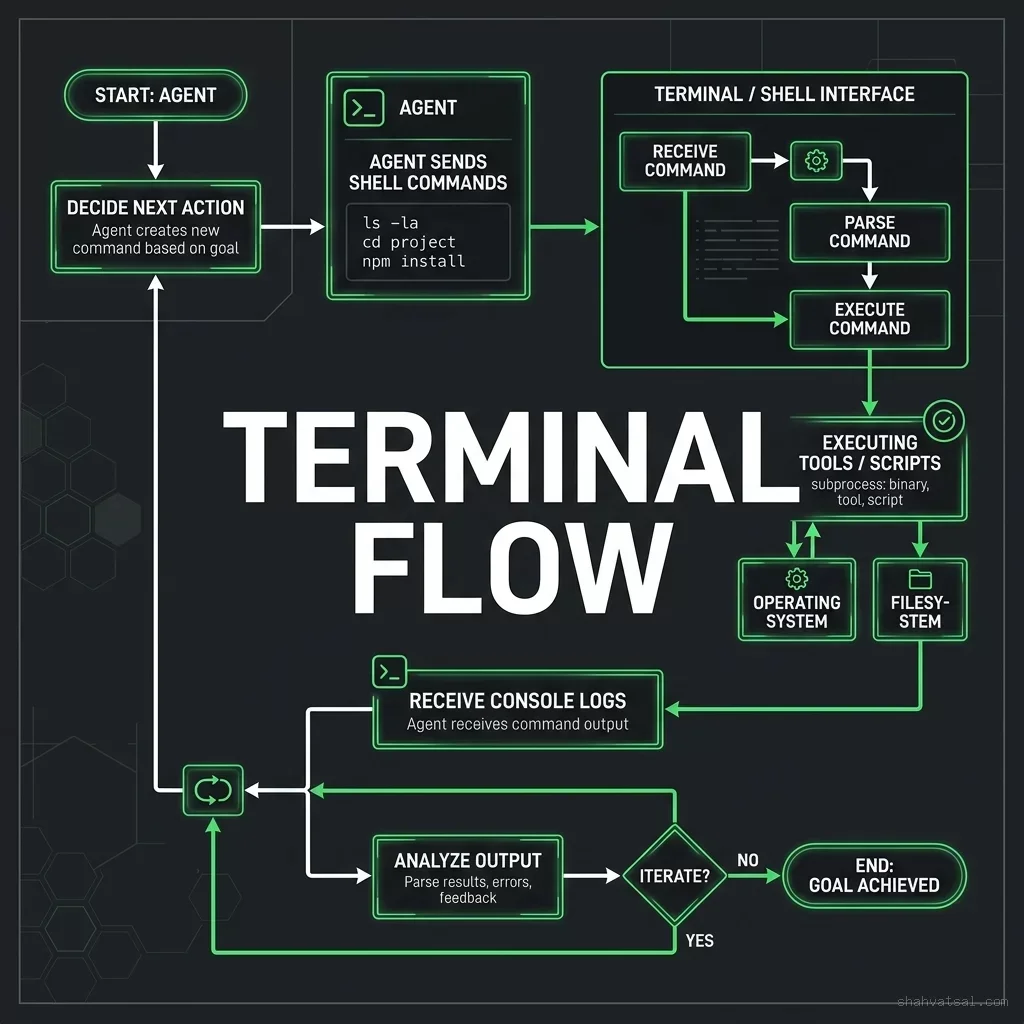
Terminal agents like Claude Code operate via a cyclic execution loop. The agent is given access to a set of shell execution tools, file readers/writers, and grep patterns. Instead of showing you diff suggestions to accept or reject, the agent plans a sequence of commands, runs them directly in your shell, inspects the command outputs (including compile warnings and linter errors), and refactors its edits until the task is complete.
This approach gives the agent massive autonomy. It can search directories, run test suites, install dependencies, compile builds, and make git commits without requiring you to switch screens or copy-paste code.
GUI Editor Workspace Integrations {#gui-loops}
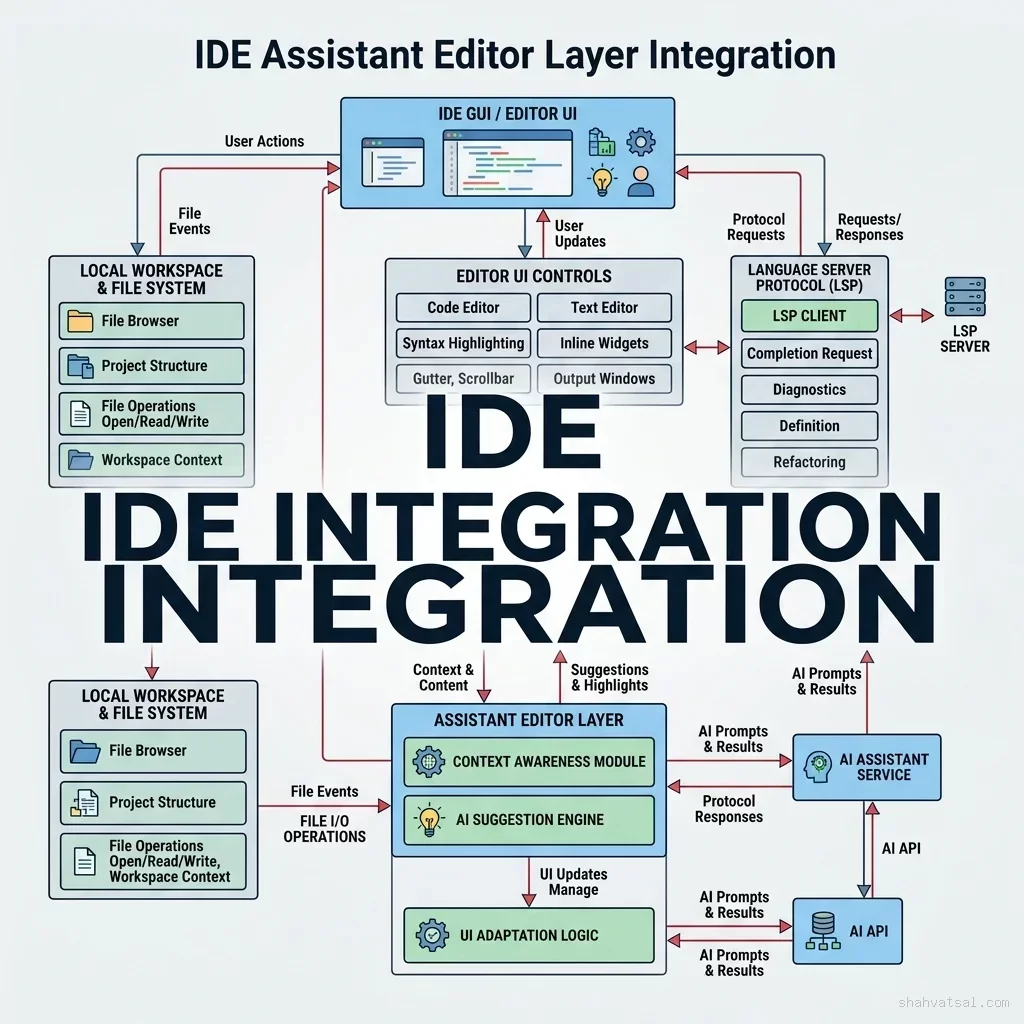
Editor assistants operate primarily inside the Language Server Protocol (LSP) and editor buffer layers. The tool watches your current cursor position, file tabs, and local import references to build a high-fidelity semantic context.
Instead of running raw shell tasks, the GUI assistant focuses on presenting visual changes (like inline diffs, tab completions, and multi-file project views) that the developer can review, modify, or approve in real time. This keeps the developer firmly in control, making it ideal for exploratory writing or incremental edits.
Head-to-Head: Under the Hood of the Big Three {#under-the-hood}
Anthropic Claude Code {#claude-code}
Claude Code is a headless terminal utility that acts as an autonomous agent inside your workspace. When you prompt it to refactor a file, it starts a multi-step tool-use cycle: listing files, reading the source code, planning the changes, writing edits block-by-block, running your test commands, and auditing console logs for errors.
Cursor Composer {#cursor-composer}
Cursor operates as a full fork of VS Code, embedding agentic capabilities directly into the editor UI. Its core differentiator is "Composer" — a multi-file editor interface that lets you chat with an agent that can open files, edit multiple files in parallel, and present clean visual side-by-side diff blocks.
Google Antigravity IDE {#google-antigravity}
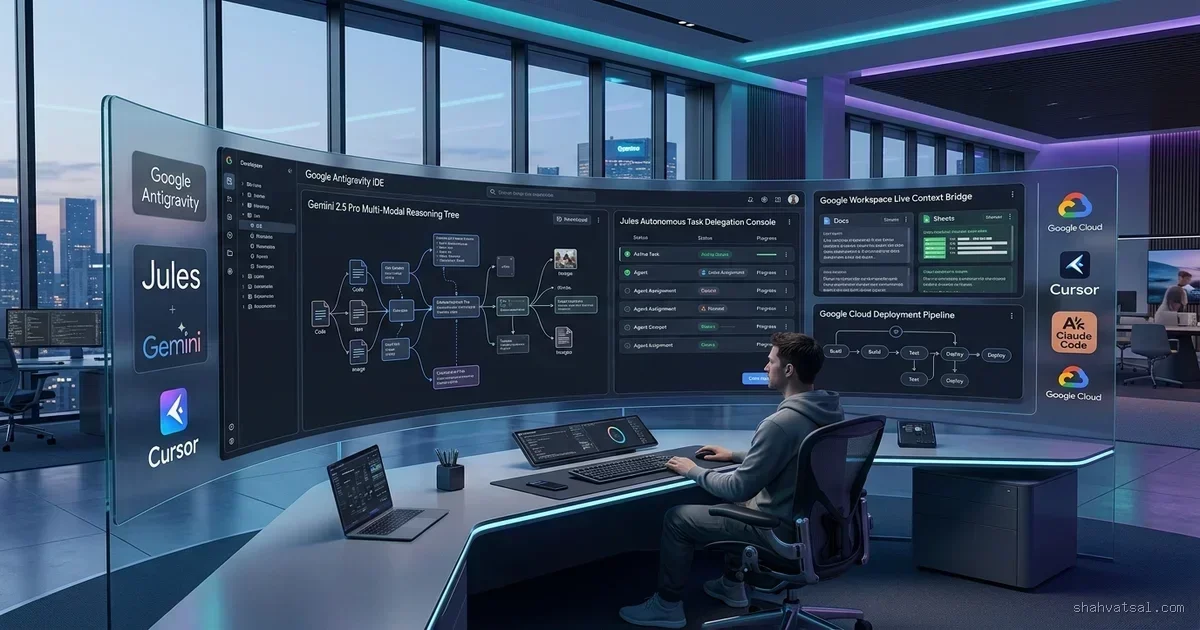
Google Antigravity is a Gemini-native workspace engineering environment. It bridges the gap by combining high-fidelity workspace understanding with deep local execution capabilities. Antigravity excels at parsing large multi-project repositories, indexing codebases semantically, and running isolated compilation checks using sandboxed tool containers.
Performance & Metric Trade-Off Curves {#performance-metrics}
Execution Latency vs. Reasoning Depth {#latency-depth}
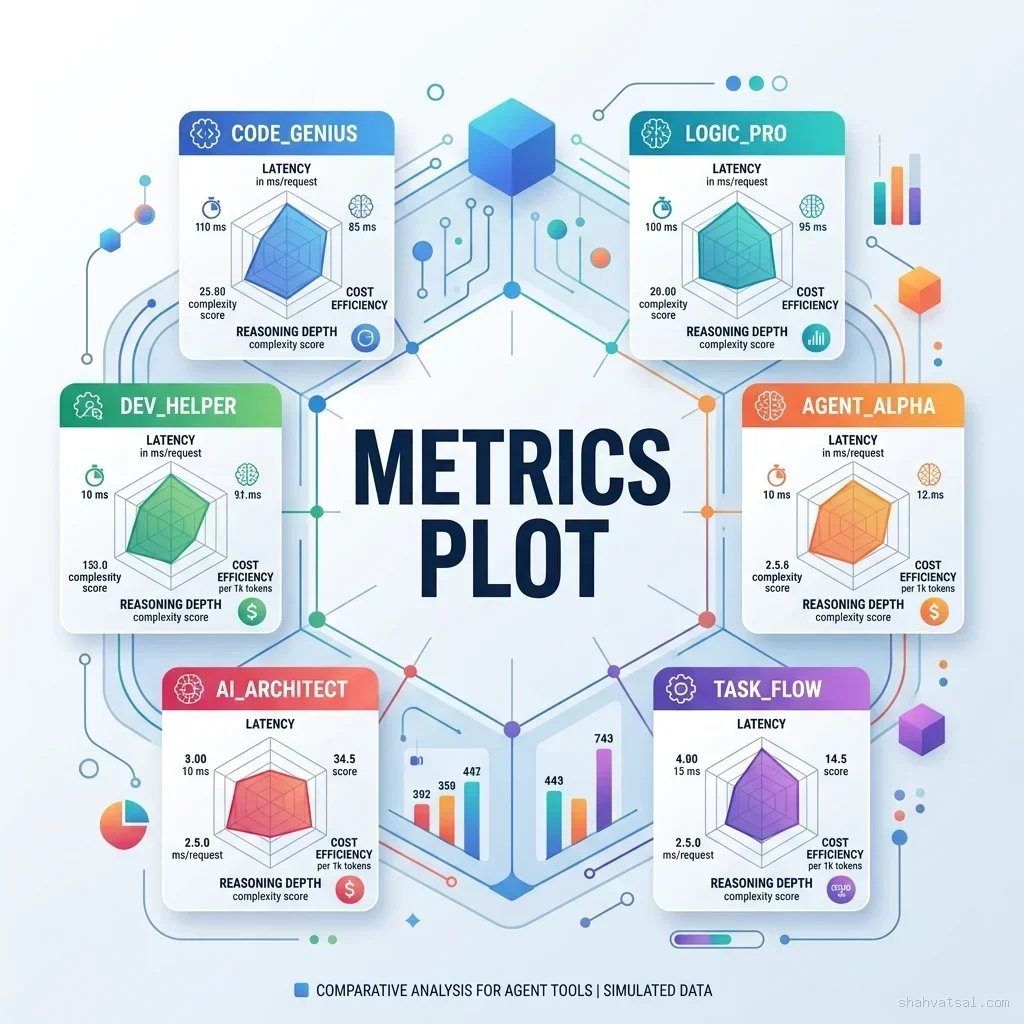
Autonomous CLI agents require multiple reasoning loops (thinking turns) to complete tasks. A single code modification might require 10 to 30 API calls as the agent edits, checks linting, runs unit tests, and refactors. While this results in high reasoning depth, it also introduces higher latency and token costs compared to GUI assistants.
GUI assistants, by contrast, focus on single-turn generation or short conversational loops. This provides near-instant feedback for inline tasks but leaves the burden of validation and execution on the developer.
Autonomous Error Self-Healing {#error-healing}
Terminal agents have a major advantage: the ability to self-heal code. If an agent writes a code block that contains a syntax error or breaks a unit test, it reads the console stderr output directly, understands what went wrong, and writes a correction without human intervention.
Comparative Matrix: Capabilities & Features {#comparative-matrix}
To select the right model configuration for your development pipeline, we evaluate the big three across key product capabilities:
| Feature | Claude Code | Cursor Composer | Google Antigravity |
|---|---|---|---|
| Control Interface | CLI (Headless Terminal) | GUI (VS Code IDE Fork) | Unified (LSP + Agentic Container) |
| Autonomy Level | High (Executes Shell Commands) | Medium (Asks user to run tests) | High (Runs sandboxed validation) |
| Command Execution | Direct Shell Access | Terminal terminal overlay | Isolated Tool Sandbox |
| Context Footprint | Dynamic Tool-Driven Read | Buffer + Tab + Vector Search | Semantic Graph Workspace Index |
2027–2030 Evolutionary Transition Roadmap {#roadmap-2030}
The future of developer tool integrations is moving towards a hybrid model:
- Phase 1: Dual-Core Workspaces (2026–2027)
* Developers use GUI editors for inline coding and invoke headless terminal agents for background tasks like refactoring, lint fixing, and package management.
- Phase 2: Intent-Driven Agent Frameworks (2027–2028)
* IDEs transition to orchestration spaces where developers specify intents, and multiple specialized terminal agents coordinate in sandboxed VMs to deliver tested features.
- Phase 3: Autonomous Repository Guardians (2029–2030)
* Repositories maintain persistent, cloud-hosted agents that monitor branches, run test suites, write hotfixes, and update framework dependencies completely in the background.
Monday Morning Action Plan {#monday-morning}
To optimize developer output using these tools, implement this action plan:
- [ ] Step 1: Use IDE Assistants (Cursor/Antigravity) for real-time code drafting, inline autocompletion, and exploratory UI building.
- [ ] Step 2: Use Terminal Agents (Claude Code) when you need to perform multi-file search-and-replace, run linters, or refactor legacy layers.
- [ ] Step 3: Restrict CLI agents to dedicated sandbox terminals or Git branches to prevent command-injection risks.
- [ ] Step 4: Set strict token budget limits on CLI agents to manage multi-turn reasoning costs.
Key Takeaways {#key-takeaways}
- Autonomy Separation: CLI agents run commands and self-heal code autonomously. GUI assistants focus on editor integration and developer review.
- Cost vs. Latency: CLI agents have higher reasoning depth and self-healing capability, which translates to higher token costs and latency profiles.
- Sandbox Safety: Always execute CLI agents in secure environments to prevent unintended file or package modification.
FAQ {#faq}
Q: Can Claude Code run tests automatically?
Yes. When prompted, Claude Code will identify your test files, execute the test runner commands, read the console stdout/stderr logs, and automatically adjust the code edits until the tests pass.
Q: Does Google Antigravity run on Windows workspaces?
Yes. Google Antigravity includes deep support for Windows environments, dynamically managing file locks, path mappings, and WAMP/Apache setups.
Q: How do IDE assistants prevent token cost spikes?
By caching prompt prefixes, using vector indexing for local repository search, and minimizing multi-turn thinking loops.